// Limits
// Daniel Pereira, 04 November 2022.

// Use limits.h and float.h to access MIN and MIX variables.

#include <stdio.h>
#include <limits.h> // limits on integer types
#include <float.h>  // limits on floating point types

int main(int argc, char* argv[])
{

    printf("INTEGER TYPE, MIN, MAX.\n");
    printf("-----------------------\n");
    printf("char, %d, %d\n", CHAR_MIN, CHAR_MAX);
    printf("unsigned char, NA, %u\n", UCHAR_MAX);
    printf("short, %d, %d\n", SHRT_MIN, SHRT_MAX);
    printf("unsigned short,NA,%u\n", USHRT_MAX);
    printf("int, %d, %d\n", INT_MIN, INT_MAX);
    printf("unsigned int, NA, %u\n", UINT_MAX);
    printf("long, %ld, %ld\n", LONG_MIN, LONG_MAX);
    printf("unsigned long, NA, %lu\n", ULONG_MAX);
    printf("long long, %lld, %lld\n", LLONG_MIN, LLONG_MAX);
    printf("unsigned long long, NA, %llu\n\n", ULLONG_MAX);

    printf("FLOATING POINT TYPE, MIN, MAX.\n");
    printf("------------------------------\n");
    printf("Float MIN: %.3e\n", FLT_MIN);
    printf("Float MAX: %.3e\n", FLT_MAX);
    printf("Double MIN: %.3e\n", DBL_MIN);
    printf("Double MAX: %.3e\n", DBL_MAX);
    printf("Long Double MIN: %.3Le\n", LDBL_MIN);
    printf("Long Double MAX: %.3Le\n", LDBL_MAX);
    printf("Number of decimal digits precision of float: %u\n", FLT_DIG);
    printf("Number of decimal digits precision of double: %u\n", DBL_DIG);
    printf("Number of decimal digits precision of long double: %u\n", LDBL_DIG);

    return 0;
}

// climits <limits.h>
// https://devdocs.io/cpp/header/climits
// This header was originally in the C standard library as <limits.h>.
//
// This header is part of the type support library, in particular it's part of the C numeric limits interface.

// <float.h>
// https://www.tutorialspoint.com/c_standard_library/float_h.htm
//
// The float.h header file of the C Standard Library contains a set of various platform-dependent constants related to floating point values. These constants are proposed by ANSI C. They allow making more portable programs.
View my playlist of Commodore 64 games videos. They are all several minutes in length, and show enough of each game to serve as a preview for those who are looking for retro games to try.
https://github.com/pereiradaniel/beginning_c/blob/master/ch2/exercises/2_4/exercise2_4.c // Exercise 2-4 // Write a program that prompts for the user’s weekly pay in dollars and the // hours worked to be entered through the keyboard as floating-point values. The program // should then calculate and output the average pay per hour in the following form: // Your average hourly pay rate is 7 dollars and 54 cents. #include <stdio.h> double checkInput(double input, double min, double max); int main(int argc, char* argv[]) { double hours = 0, rate = 0; // Get input for hours: printf("Enter number of hours worked: "); while(hours == 0) { scanf(" %lf", &hours); hours = checkInput(hours, 1, 10000); } // Get input for salary: printf("Enter hourly rate: "); while(rate == 0) { scanf(" %lf", &rate); rate = checkInput(rate, 1, 100); } // Calculate pay:...
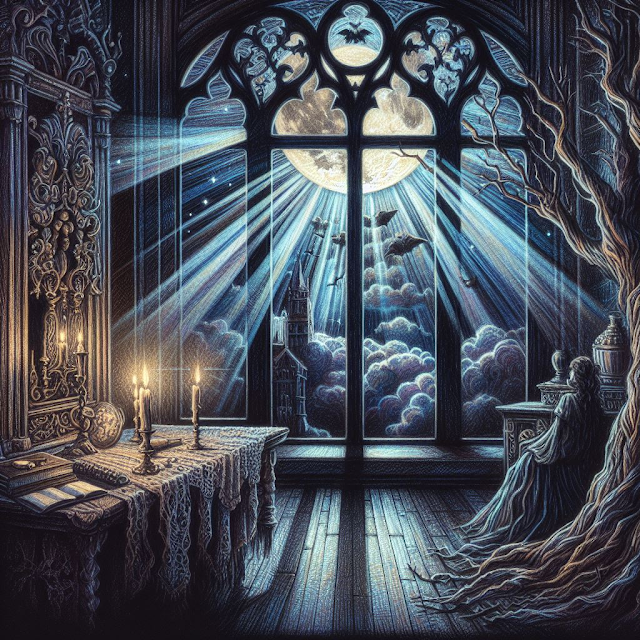
The moonlight’s beams, so pure and bright, Translucent, yet a sorrowful sight, As they pass through the window at night, A melancholic feeling takes flight. The light, so pale, and yet so strong, It casts a shadow, oh so long, And in the silence, it sings a song, Of love and loss, of right and wrong. The beams, they dance, they twist and turn, A sight that makes the heart yearn, For something lost, for something gone, For a love that’s past, for a life that’s done. And yet, the light, it brings a hope, A promise of a brighter scope, Of a future that’s yet to come, Of a life that’s yet to be won. So let the moonlight’s beams shine bright, And let them guide you through the night, For though they bring a sorrowful plight, They also bring a glimmer of light. 1 : Edgar Allan Poe’s vocabulary is known for its use of obscure words and phrases. You can find a list of some of his words and phrases at poestories.com . Prompt: Write me a poem about how beautiful yet sorrowful are the translucent...